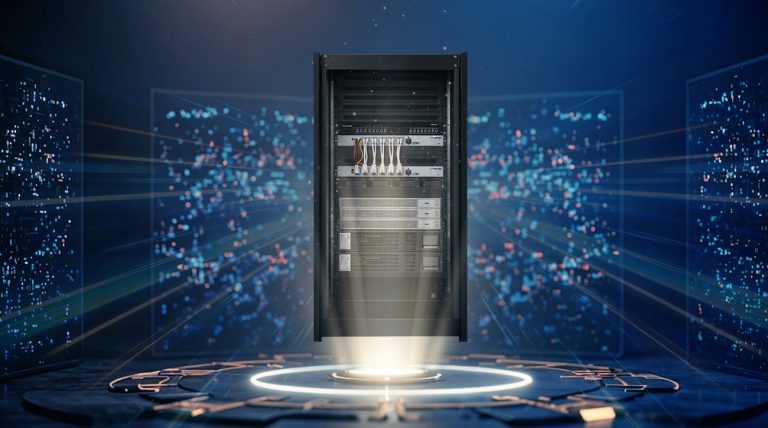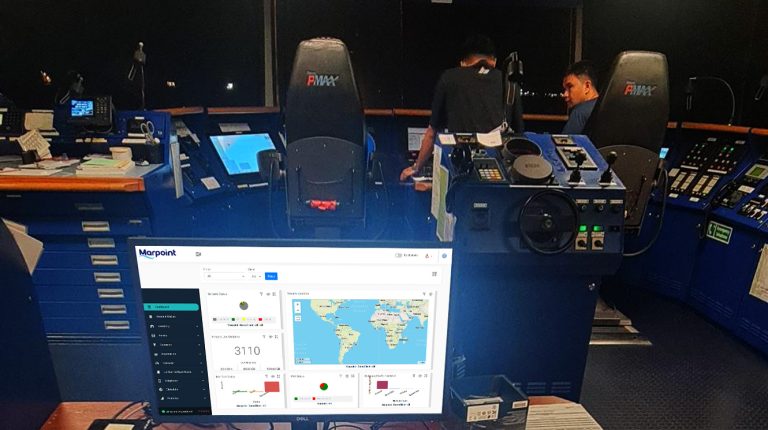
Newbuild deliveries and second-hand vessel acquisitions are happening at record pace—and yet, IT infrastructure is often treated as an afterthought. Whether it’s your first Starlink install or a full-blown rack configuration with VSAT, LTE, server virtualization, and cyber-compliant systems, getting the vessel digitally ready requires planning, speed, and precision.
A Step-by-Step Playbook for Fast, Compliant, and Connected Deliveries
This guide walks you through the key steps to ensure your ship’s IT setup is smart, compliant, and future-ready—from shipyard to open waters.
Step 1: Assess IT Scope Based on Vessel Type & Timeline
Newbuilds: Often delivered as a “shell” with minimal IT infrastructure.
Second-Hand Trades: May come with outdated or mismatched systems.
Checklist:
- Confirm delivery timeline or handover date
- Identify Class & Flag cyber requirements
- Check if rack space, cabling, and power provisioning are included
- Evaluate required WANs: VSAT, Starlink, LTE/5G
- Determine if physical servers can be replaced with virtualization
Step 2: Choose a Scalable, Multi-WAN Connectivity Setup
Hybrid is the standard. Combine Starlink, VSAT, and 5G/LTE with a router that can manage them seamlessly. MarPoint Recommends:
- Starlink + 5G panel-mount technology (lightweight, no freight delays)
- Hybrid VSAT/LTE architecture for redundancy
- Evo3 Router for auto-gateway, load balancing, and bandwidth prioritization
Step 3: Build a Cyber-Ready Infrastructure (IACS UR E26/E27)
Compliance starts with smart planning. Ensure that both hardware and architecture meet current cyber standards.
Key Actions:
-
Use ABS-certified hardware (e.g., Evo3 Router, UNI Virtual Machine Manager)
-
Segment critical systems from crew/guest networks
-
Deploy services like mail server, ECDIS updates, or maintenance software on UNI instead of physical PCs
-
Create a Disaster Recovery Plan and vulnerability report
-
Provide Class documentation on system hardening and patching policy
By replacing standalone PCs with virtual machines, operators reduce hardware costs, power consumption, and maintenance needs.
Step 4: Centralize Services with UNI Virtual Machine Manager
UNI solves three major IT headaches onboard:
-
Hardware Sprawl: Instead of maintaining multiple aging PCs, UNI allows you to virtualize critical services like email, file sharing, antivirus, and ERP software—all on a single secure platform.
-
Lack of Visibility: Integrated monitoring tools provide real-time alerts and allow shore-based teams to track usage, system health, and network events.
-
Inconsistent Patch Management: With UNI, patches are applied across virtual machines systematically, with backups and recovery policies in place.
Bonus: The UNI Virtual Machine Manager is ABS-certified and aligned with IACS UR E26/E27 cybersecurity standards.
Step 5: Preconfigure Offsite—Then Ship Ready-to-Deploy
Time at port is limited. Avoid onsite configuration delays.
Best Practices:
-
Configure routers, firewalls, switches, and the Vessel Virtualization server before shipment
-
Use UNI to centralize IT services: mail, file sharing, antivirus, monitoring, ERP access
-
Eliminate reliance on physical PCs by virtualizing applications
-
Create vessel-specific configuration profiles and test in the lab
-
Label all cables and ports for plug-and-play install
Step 6: Arrange Onboard Installation at Delivery Port
Rely on local expertise. Deploy through trusted technicians at the shipyard or delivery port.
MarPoint MITS Advantage:
-
Global network of certified maritime IT technicians
-
Support at key shipyards and delivery locations worldwide
-
Full rack and hardware deployment aligned with your handover schedule
Step 7: Run Acceptance Testing Before Departure
Before you leave the pier, verify that everything works and complies.
Test Scenarios:
-
WAN switch-over and failover
-
VPN and remote access through UNI
-
Monitoring dashboards and alerting
-
Crew connectivity & filtering
-
Performance of virtualized services on UNI (e.g., mail, file sharing, telemetry)
Step 8: Monitor & Support Remotely from Day One
Delivery is just the beginning. Your IT needs to stay stable, secure, and visible.
What to Set Up:
-
Remote access via secure portal
-
UNI-integrated monitoring & logging
-
Scheduled patching for both host and guest systems
-
Automated backups and system snapshots
-
Usage reports, crew traffic monitoring, and cyber alerts
Final Thoughts:
Whether it’s a newbuild in Asia or a second-hand tanker in Piraeus, your IT setup needs to be lean, cyber-compliant, and ready to run. With Evo3 for WAN control and UNI for centralized virtualization, MarPoint helps you deploy a future-proof IT backbone—fast. MarPoint is trusted by shipowners and technical managers worldwide to deliver maritime IT systems that are fast, cyber-compliant, and Class-ready.
Want a smooth handover and full Class alignment? Start with a solid setup. Start with MarPoint.